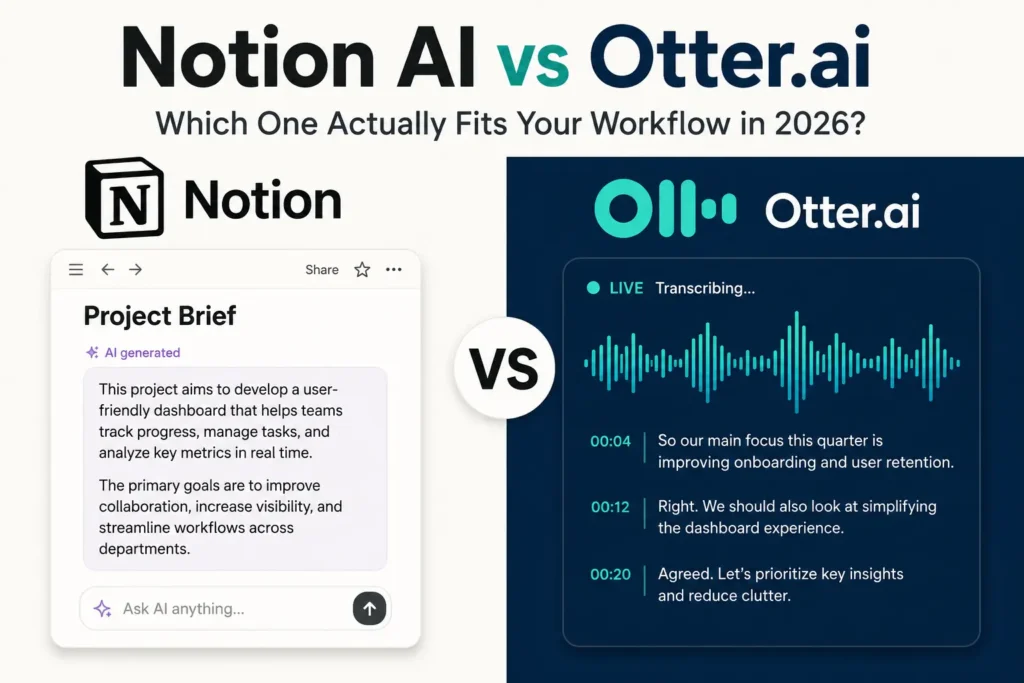
You open your laptop after a two-hour client call. Your notebook is half-filled, three action items are already fuzzy, and the follow-up doc you promised is still a blank page. You’ve heard that Notion AI and Otter.ai both solve exactly this kind of problem. But which one actually does?
The search for an answer sends most people down a rabbit hole of feature comparisons that never quite answer the real question. Here’s what almost every comparison article misses: Notion AI and Otter.ai are not competing for the same job. Picking the wrong one doesn’t just cost you a subscription fee. It costs you weeks of building habits around a tool that was never designed for your primary pain point.
Using this tool? Got questions?
Ask me anything on Telegram - free honest answers before you spend your money.
Read this breakdown before you spend a dollar on either tool.
What Is Notion AI and What Does It Actually Do?
Notion AI is an artificial intelligence layer built directly into Notion, the all-in-one workspace platform used by millions of writers, teams, and solopreneurs. It is not a standalone product. It lives inside your existing Notion pages, databases, and documents.
What Notion AI is actually capable of:
- Drafting, editing, summarizing, and translating written content inside any Notion page
- Answering questions using the content already stored in your Notion workspace
- Auto-filling database properties and generating structured notes from prompts
- Brainstorming outlines, expanding ideas, and adjusting tone or style
- Summarizing long documents into bullet points or key takeaways
Notion AI is powered by OpenAI’s GPT models under the hood, which means its writing quality and reasoning capability are genuinely strong. When I tested Notion AI over several weeks while managing editorial content briefs and project documentation, the standout feature was the Q&A function. You can ask it “what did I write about X last month?” and it searches your entire workspace to surface a real answer. That is not a gimmick. For anyone managing a growing knowledge base, that alone is worth the price.
The Limitation You Need to Know About
Notion AI will not transcribe your meetings. It will not join your Zoom calls, record audio, or generate a live transcript. If you paste a meeting summary into a Notion page, it can help you process and restructure that text. But the capture itself? That is not Notion AI’s job. Expecting it to replace a meeting transcription tool is the most common mistake first-time users make.
Otter.ai Explained: What Makes It Different from Notion AI
Otter.ai is a purpose-built AI meeting assistant. Its one job is to listen to your meetings, transcribe everything in real time, identify who said what, generate a summary, and surface your action items automatically.
It integrates natively with Zoom, Google Meet, and Microsoft Teams. Through a feature called OtterPilot, it can join your calendar-scheduled calls as an AI participant. By the time a meeting ends, you have a timestamped transcript, a structured summary, and a searchable record, all without manually writing a single word.
What makes Otter.ai stand out from similar tools:
- Live transcription with speaker diarization (identifying who spoke)
- Automated meeting summary delivered to your inbox after each call
- Action item extraction pulled directly from meeting dialogue
- A searchable archive of all past transcripts
- Calendar integration so OtterPilot joins meetings automatically
After reviewing Otter.ai alongside competing tools like Fireflies AI and Fathom, Otter.ai’s real-time transcription accuracy sits around 90 to 95 percent for clean audio with two to three speakers, which is competitive at its price point. You can verify Otter.ai’s feature set and current pricing directly at otter.ai.
Where Otter.ai Has Real Gaps
Speaker diarization gets noticeably less accurate in calls with four or more participants, especially when people talk over each other. The summaries are good but not perfect. You will occasionally need to skim the full transcript to catch nuance the summary missed.
More importantly, Otter.ai is not a writing assistant. It will not help you draft a proposal, manage a knowledge base, or brainstorm content ideas. The intelligence inside Otter.ai is almost entirely focused on voice data and meeting context. Outside of that lane, it offers nothing.
Notion AI vs Otter.ai: Core Feature Comparison
Understanding where each tool performs changes how you evaluate the whole Notion AI vs Otter.ai question.
Writing and Content Creation Notion AI is built for this. You can draft a blog post, rewrite an email, or turn rough notes into a polished document without leaving Notion. Otter.ai has zero writing assistance capability. It does not generate content beyond meeting summaries.
Meeting Transcription Otter.ai owns this category entirely. It joins meetings, transcribes in real time, and summarizes automatically using speech-to-text AI technology. Notion AI cannot transcribe audio, record calls, or interact with meeting platforms in any way.
Knowledge Base Search Notion AI lets you query your entire workspace using natural language. Otter.ai lets you search your past meeting transcripts. Both are searchable, but the data sources are completely different.
Third-Party Integrations Otter.ai connects with Zoom, Google Meet, Microsoft Teams, Google Calendar, and Slack natively. Notion AI lives inside Notion, though Notion itself integrates with hundreds of tools via API and Zapier.
Team Collaboration Both tools support team environments. Notion AI is stronger for async collaboration on written documents. Otter.ai is stronger for post-meeting sharing and distributing call summaries across a team.
Mobile Access Otter.ai has a strong mobile app that lets you record in-person conversations for automatic transcription. Notion AI’s mobile experience is functional but primarily reflects Notion’s existing mobile interface, which is less smooth than the desktop version.
Pricing Breakdown: Which Costs Less in 2026?
Notion AI Pricing
Notion AI is priced as an add-on to your existing Notion plan:
- $10 per member per month (billed annually)
- $16 per member per month (billed monthly)
- Works on top of Notion Free, Plus, Business, and Enterprise plans
- The free Notion plan includes a limited number of AI responses to test before hitting a paywall
If you are already paying for a Notion plan, adding Notion AI is a $10 incremental cost per month. That is the relevant number for most existing Notion users.
Otter.ai Pricing
- Free plan: 300 transcription minutes per month, 30-minute cap per conversation
- Pro plan: approximately $16.99 per month (billed monthly) or around $8.33 per month (billed annually)
- Business plan: approximately $30 per user per month (billed annually)
- Enterprise: custom pricing for large teams
The honest comparison depends on your starting point. Otter.ai’s free plan delivers genuine value for light meeting use. Notion AI’s free tier is more of a preview. For budget-conscious users making a first choice, Otter.ai’s free plan provides more immediate, usable functionality without spending anything.
For anyone already inside the Notion ecosystem, $10 per month for Notion AI is an easy yes if writing and documentation are part of your daily work.
Best Use Cases: When to Pick One Over the Other
This is where most comparison articles fall short. Features are not decisions. Use cases are decisions.
Choose Notion AI if:
- You already use Notion as your primary workspace for notes, projects, or content
- Your work involves writing, editing, documentation, or managing a knowledge base
- You want AI that can reference your existing notes and answer questions from your own stored content
- Your team collaborates more on documents than on live meetings
- You are a content creator, writer, solopreneur, or ops-focused professional
Choose Otter.ai if:
- You attend five or more meetings per week and struggle to keep up with notes
- You are a sales rep, consultant, researcher, or project manager who relies on accurate call records
- You need to share meeting summaries with clients or teammates quickly after calls
- You are a student recording lectures or study groups for later review
- You work with clients in different time zones and need a searchable history of every conversation
In my experience reviewing AI productivity tools across different user types, the people who get the most immediate value from Otter.ai are sales professionals, consultants, and remote project managers. The people who get the most from Notion AI are content teams, writers, and solopreneurs who already live inside their Notion workspace.
Knowing which category you fall into makes this decision straightforward.
Can Notion AI and Otter.ai Work Together?
Yes. This is the angle almost no one covers, and it is genuinely useful.
The two tools can function as a complementary pair inside a single workflow. Here is how it works in practice:
- Step 1: Use Otter.ai to transcribe and summarize your meeting automatically the moment the call ends.
- Step 2: Copy the Otter.ai summary into a Notion page dedicated to that project or client.
- Step 3: Use Notion AI to convert that raw summary into a structured action item list, a client-facing brief, or a project update document.
This combination is practical for consultants, content teams, and project managers. Otter.ai handles the capture layer. Notion AI handles the processing and organization layer. Together they cover the full loop from spoken conversation to structured, searchable documentation.
There is no native direct integration between the two tools as of 2026. Moving content requires a manual copy-paste or a workflow automation built through Zapier or Make. The extra step is real, but the payoff is a meeting-to-document pipeline that takes minutes instead of an hour.
Is Notion AI Better Than Otter.ai for Meeting Notes?
No. For meeting notes specifically, Otter.ai is the better tool by a significant margin.
Notion AI does not join your meetings. It does not record audio, generate transcripts, or identify speakers. The only way to use Notion AI for meeting notes is to manually type or paste your notes into a Notion page first, and then ask Notion AI to help you structure or summarize what you already wrote. That adds a step rather than removing one.
Otter.ai, by contrast, attends your meeting as an active AI participant. It transcribes everything in real time using automatic speech recognition technology. When the call ends, you have a full timestamped transcript, a summary with key points, and a list of action items, all generated without you doing a single thing.
The mistake people make here is assuming Notion AI is an all-in-one AI assistant that covers every workflow. It is a workspace intelligence layer. Otter.ai is a meeting intelligence specialist. Those are two different categories of tool solving two different problems.
If meeting transcription is your number one need, Otter.ai wins this comparison outright.
Which Tool Should You Choose?
Here is the clearest way to frame this decision.
If your biggest daily friction is writing, organizing, and managing information, choose Notion AI. It sits inside a workspace you likely already use, it improves your output quality in real time, and $10 per month is genuinely low for what it does when you are already a Notion user.
If your biggest daily friction is keeping up with meetings, capturing action items, and sharing call summaries, choose Otter.ai. The free plan is enough to confirm whether it fits your workflow before you spend anything.
If you do both kinds of work regularly, the most effective answer is to use both tools together. The combined cost of $10 to $25 per month puts a full meeting-to-document AI workflow inside your hands. For knowledge workers and freelancers billing by the hour, that is one of the better monthly investments available in 2026.
The real cost is not the subscription. It is spending three more weeks comparing instead of using the tool that fits your biggest problem today.
Frequently Asked Questions
Notion AI vs Otter.ai: which is better for productivity?
The answer depends on where your time goes. Notion AI is better for writing, documentation, and managing a knowledge base inside the Notion workspace. Otter.ai is better for meeting transcription and real-time note capture. For overall productivity, the Notion AI vs Otter.ai decision comes down to whether your biggest daily task is writing or attending meetings.
Can Otter.ai transcribe meetings and save them directly in Notion?
Yes, but not automatically. Otter.ai transcribes meetings and generates summaries inside its own platform. You can copy those summaries into Notion manually or automate the process using Zapier or Make. Notion AI can then help process and structure that content further. There is no native direct sync between the two tools as of 2026.
Is Notion AI free to use?
Notion AI is not free, though it does offer a limited trial with a small number of AI responses included. After that, it costs $10 per member per month billed annually as an add-on to any existing Notion plan. The free Notion plan does not include ongoing Notion AI access without upgrading to a paid add-on.
Is Otter.ai worth paying for?
Otter.ai’s Pro plan is worth it if you attend five or more meetings per week. The free plan gives 300 transcription minutes per month, which is enough for light use. The Pro plan adds longer meeting lengths and advanced features like OtterPilot. For remote workers, consultants, and sales teams, the paid plan recovers its cost in the first week of real use.
Does Otter.ai do everything Notion AI does?
No, and this is a common misconception. Otter.ai is built for voice transcription, meeting summaries, and action item extraction from spoken conversations. It does not write content, manage documents, or function as a knowledge base assistant. Notion AI handles those writing and organization tasks but cannot transcribe audio or join meetings at all. They serve fundamentally different primary functions.
Final Thoughts
Notion AI and Otter.ai both earn their reputations. One is your workspace writing partner. The other is your meeting memory. What they are not is interchangeable.
Your next step is simple: identify your biggest daily pain point right now. If it’s documents and writing, start with Notion AI. If it’s meetings and follow-ups, start with Otter.ai. Either way, you’re solving a real problem with a real tool instead of comparing endlessly.
For a broader look at tools that fit both writing and productivity workflows, the guide to the best AI productivity tools for freelancers covers everything worth knowing about building an efficient AI-powered work setup in 2026.