When you’re running a WordPress website, you’ve seen a common problem like “ missing Alt text that decreases your better SEO Experience”. You face this type of problem when spending a lot of time on the WordPress CMS. I also face this situation a lot, and I have tested many AI tools to overcome it.
I want to share one of the AI tools which are user-friendly and also a customised AI tools for AI text generators called AutoAlt.ai that actually solve this problem. All you need to do is sign up for a free plan, connect to the test WordPress site, which runs through 60+ real product blog images, which are also used for a full month.
Using this tool? Got questions?
Ask me anything on Telegram - free honest answers before you spend your money.
Here’s my honest, hands-on experience, including the pricing details most reviews skip over. Using this Alt text will also help to increase the visibility and credibility of your website.
What Is AutoAlt.ai
AutoAlt.ai is an AI-powered alt text generator built by a German company. It’s built on GPT-4 Vision, with additional input from Gemini, to analyse an image and generate a natural, descriptive alt tag, one that’s useful for both screen readers and search engines.
This consists of many features such as:
- SEO: Better alt text can also help you rank in Google Images and improve overall page relevance.
- Compliance: AutoAlt.ai is built to meet WCAG 2.1 AA, which covers both the EU’s Accessibility Act (EAA) and ADA rules.
It easily integrates into WordPress, WooCommerce, Shopify, Magento, Shopware, Drupal, Joomla and PrestaShop, and there’s a developer API if you want to build something custom.
My Actual Workflow for Testing
I will share with you the exact step-by-step process that I use for the image alt text generator. In this workflow, you’ll observe that the right process could save you time and also generate better Alt text for an image generator.
Step 1: Sign Up or Log In
You need to sign up if you’re came at first time on this website. If you’ve visited this website, you may log in.
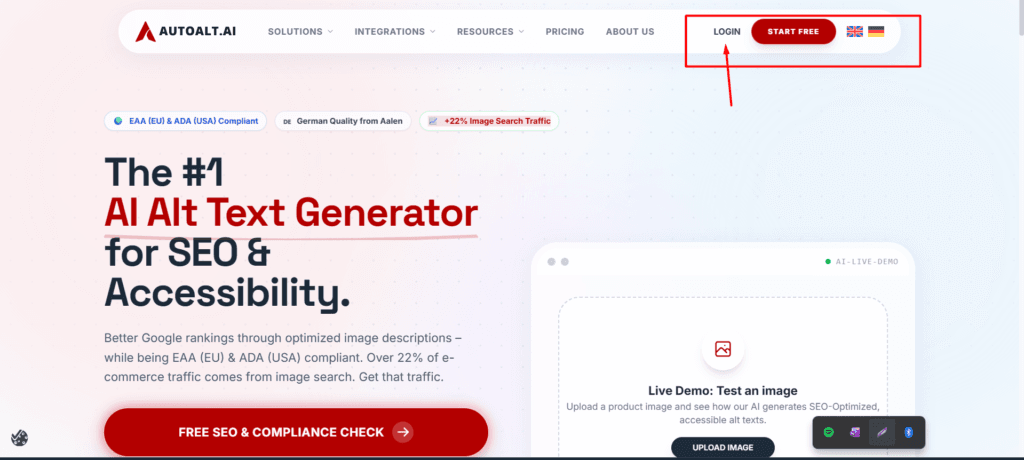
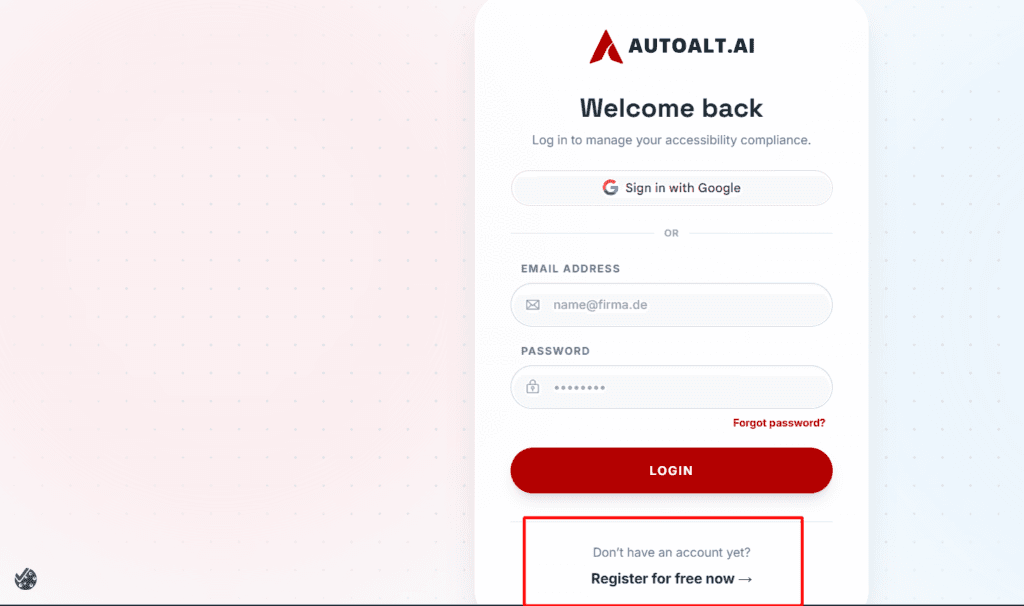
After you can choose Sign in with Google or Register Now for logging on this website.
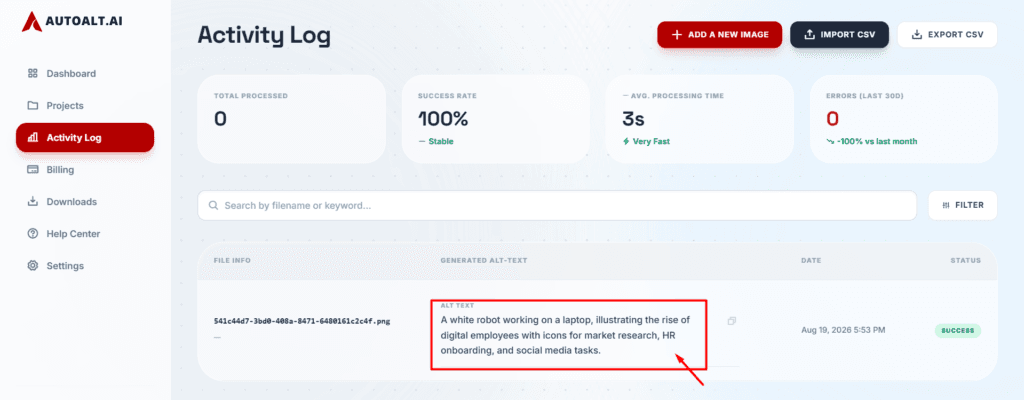
Step 2: Go to Activity Log
Navigate to Activity Log. Also, go to Add a New Image as you have a local destination.
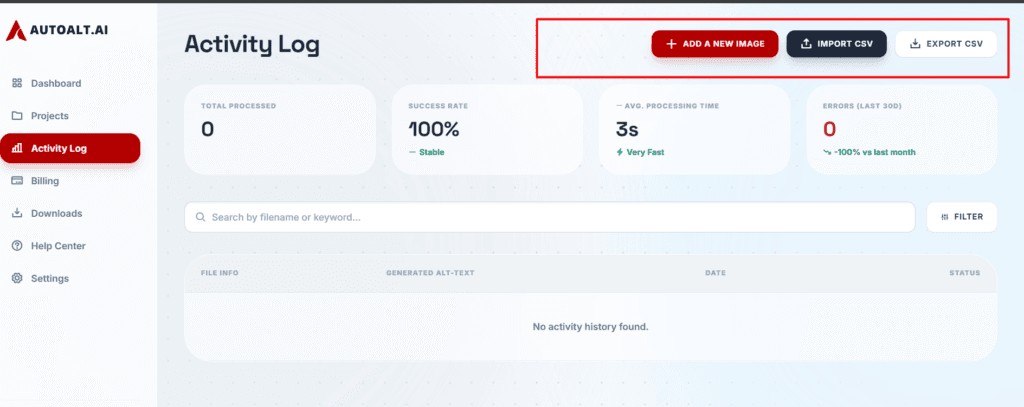
Now, upload an image and click on Save image. After a couple of minutes, you can check that an Alt text has appeared.
Step 3: Check Updated Alt Text Generator
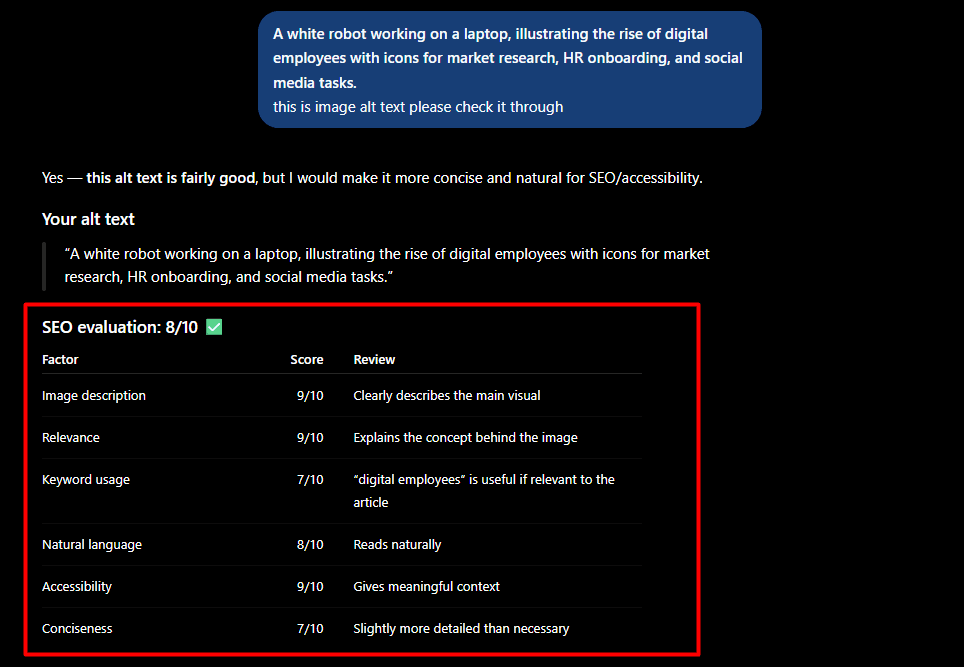
Once the alt text is there, you can review it right in the dashboard for SEO best practices (things like character length, keywords, etc), and I even ran a couple of the examples through ChatGPT to double-check my work.
Here’s what I found after testing across specific images:
- The alt text was consistently descriptive and specific to the actual product or image content, not generic filler like “image of a product.”
- Character length stayed within SEO-recommended limits (typically under 125 characters) without needing manual edits.
- Accuracy dropped slightly on images with unusual angles, heavy text overlays, or busy backgrounds, occasionally requiring a manual tweak.
- Translations into other languages came through naturally, not machine-literal.
Overall, AutoAlt.ai is a solid, dependable alt text generator for product-based websites. That said, it does have usage limits worth planning around, which is where pricing comes in.
Pricing: The Part Every Review Gets Wrong
You’ve seen every Autoalt.ai review just shows the pricing table from the website. I want to share an exact experience: all prices are listed in Euros, not dollars.
All prices are in Euros, not dollars. If you’re a store owner in the USA, the amount of your invoice will change slightly with exchange rates each billing cycle, but it was the first question I was asked when I showed this tool to another store owner.
The free plan provides 50 credits per month, no card required. It seems like a lot of pictures until you need it; 50 pictures is enough for a small blog, but a medium-sized store with a few hundred product photos will consume that in one afternoon. If you’re testing this seriously, you’ll be spending the Starter plan (€4.49/month for 100 images) pretty soon.
AutoAlt.ai costs 1 credit per image, regardless of the format (JPG, AVIF, SVG, HEIC, all the same price, and translations into any language are free). Some competitors are charging double credits for modern formats such as AVIF, which can quickly add up if your site is already using next-gen image formats for speed (and if you’re concerned about Core Web Vitals, you probably are).
How It Compares to Other Alt Text Tools
I also tested most of the well-known alternatives but, after seeing these reviews, I would like to use Autoalt.ai for creating image alt text to improve the visibility of the website.
AltText.ai is the more established name here, with a much longer track record, stronger reviews on G2, and native support for platforms like BigCommerce and headless CMS tools like Contentful. If you already have a store on Shopify or BigCommerce, and you’re looking for the platform with the most users in the United States, this is the safer choice.
The advantage of AutoAlt.ai becomes apparent when you’re on Shopware (a predominantly European platform), you’re concerned about GDPR and EU data residency, or you don’t care about the credit system, no matter what image format you’re using. It’s also significantly lower in price at the lower end.
Overlay tools such as UserWay or accessiBe are another category altogether they add alt text at render time, which is beneficial for screen reader users, but not for real SEO because Google cannot reliably read text added this way. If SEO is even in your objective, avoid overlay tools.
Who Should Actually Use AutoAlt.ai
Small to Mid-Sized E-commerce Stores
For small and medium-sized enterprises using Shopware, WooCommerce or WordPress platforms, AutoAlt.ai is an excellent tool that introduces automation of alt text production and eliminates the need for constant maintenance.
This product is a good choice for an organisation looking to implement an alt text policy in a compliance-focused manner. However, users must be prepared for all costs being tied to the euro currency.
Agencies Managing EU Clients
For agencies that serve European clients, this solution is the best choice in terms of managing image accessibility on a large scale. It allows the agencies to ensure the alt-text practices are applied consistently across all clients’ websites.
US-Based Shopify or BigCommerce Stores
If you are a US-based user and prefer greater cross-platform compatibility and a proven track record, AltText.ai is the safer choice. It is more appropriate for organisations that want to rely on an established platform and do not mind its relative inflexibility. Be sure to compare the two options in terms of your own platform, workflow, and requirements.
Anyone Expecting an SEO Traffic Boost
AutoAlt.ai is not a quick win for boosting traffic. Alt text helps accessibility and gives an extra signal to search engines about what the image is about, but it’s just one part of SEO, with technical SEO being much more important.
Conclusion
AutoAlt.ai creates accurate, non-generic alt text and writes it directly into HTML, instead of placing it as a JavaScript overlay. The pricing is reasonable, the credit system works across formats and is useful in some cases (AVIF, SVG), and I was able to set it up in less than 15 minutes.
From this testing, I would definitely use AutoAlt.ai again. This works well for novice to intermediate users who want to create high-quality alt text quickly and on a large scale.
FAQs
Is AutoAlt.ai free?
Yes. AutoAlt.ai offers 50 free credits per month forever, with no credit card required. Paid plans start at €4.49/month for 100 images.
Does AutoAlt.ai work with Shopify?
Yes. AutoAlt.ai supports Shopify through its integration, while offering stronger native support for Shopware, WordPress, and WooCommerce.
Is AutoAlt.ai GDPR compliant?
Yes. AutoAlt.ai is built by a German company, uses EU servers, and transmits only image data without personal or EXIF metadata.
Does alt text actually improve SEO?
Yes, but mainly by improving image search visibility and accessibility. Alt text is one of many SEO factors, not a standalone ranking strategy.