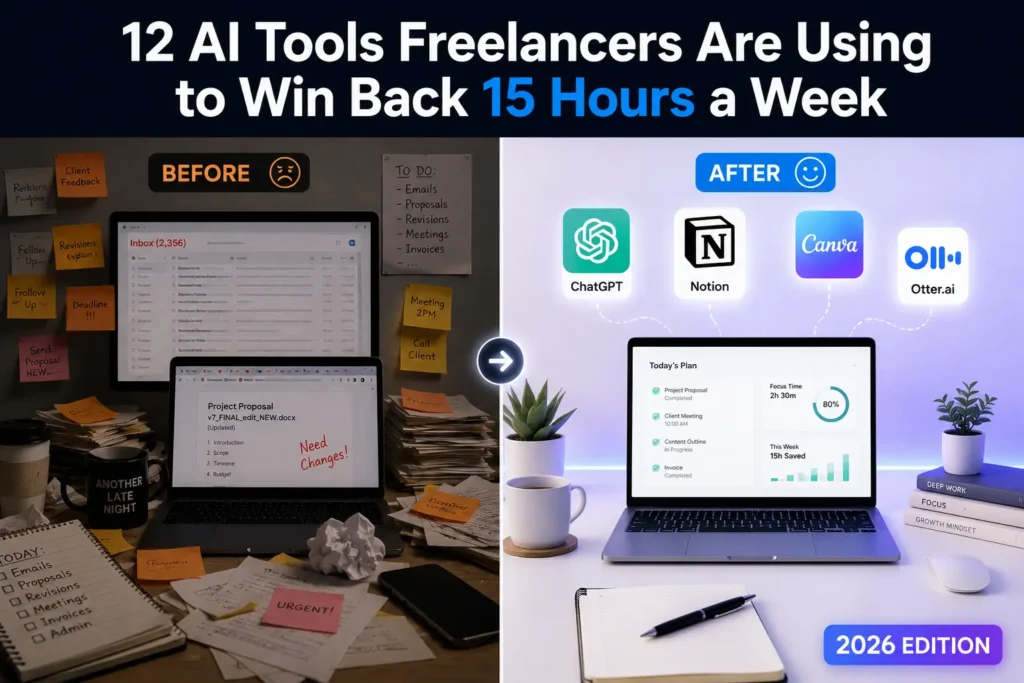
Freelancers lose an average of 15 hours every week to tasks that have nothing to do with actual client work writing proposals, chasing invoices, transcribing calls, formatting deliverables. That’s nearly two full workdays gone before you’ve done anything billable. The good news? The best AI productivity tools for freelancers in 2026 can claw most of those hours back.
The best AI productivity tools for freelancers in 2026 include ChatGPT for writing and ideation, Notion AI for project management, Otter.ai for meeting transcription, Zapier for workflow automation, and Canva AI for design. Together, these tools reduce admin time, speed up deliverables, and let freelancers focus on high-value client work instead of busywork.
This guide doesn’t just list tools. It shows you exactly where each one fits in your actual workday so you build a stack that works together, not against you.
Using this tool? Got questions?
Ask me anything on Telegram - free honest answers before you spend your money.
Why Most Freelancers Use AI Tools Wrong
Here’s the pattern: a freelancer hears about a new AI tool, signs up, uses it twice, then forgets it exists. Three months later, they’re paying for five subscriptions they don’t use and still spending Sundays catching up on admin.
The problem isn’t the tools. It’s that most people add tools randomly instead of intentionally.
Adding AI tools without a system creates tool fatigue — the same cognitive overhead you were trying to escape just moves to a different place. The freelancers who actually save 10+ hours a week with AI aren’t using more tools. They’re using fewer tools, deeply.
The framework in the next section fixes that.
The Freelancer’s AI Workflow Stack (Framework)
Instead of organizing tools by category (writing tools, design tools, etc.), think about your workday in four stages:
Stage 1 — Client Acquisition: Finding leads, writing pitches, crafting proposals
Stage 2 — Project Execution: Research, writing, design, delivery
Stage 3 — Communication: Meetings, emails, client updates
Stage 4 — Admin: Invoicing, scheduling, contracts, tracking
Every tool in this list is mapped to one of these stages. When you know where a tool fits, you actually use it.
The 12 Best AI Productivity Tools for Freelancers in 2026
1. ChatGPT (OpenAI) — Stage 1, 2 & 3
What it is: The most widely used AI assistant, capable of drafting content, answering complex questions, debugging code, writing emails, and generating creative ideas.
Why it matters: ChatGPT isn’t just for writers. Freelancers across every niche — developers, consultants, designers, marketers — use it to compress research time, draft client-facing documents, and work through problems faster.
After reviewing dozens of AI tools over the past two years, ChatGPT remains the single highest-leverage tool for freelancers who want one tool that does many things well. The GPT-4o model in particular handles multi-step tasks with significantly more consistency than earlier versions.
Real-world use: A freelance copywriter uses ChatGPT to generate five angle variations for a headline, picks one, then writes the final copy herself. Total time saved: 45 minutes per deliverable.
One honest downside: ChatGPT requires good prompting skills to get reliable output. Vague prompts produce vague results. Freelancers who don’t invest time in learning prompt structure will find it frustrating.
Actionable takeaway: Build a personal prompt library — a simple Notion doc with 10-15 prompts tailored to your specific freelance niche. You’ll use them on every project.
Pricing: Free (GPT-4o mini) / $20/month for ChatGPT Plus
2. Notion AI — Stage 2 & 4
What it is: Notion is a project management and note-taking workspace. Notion AI sits inside it, helping you summarize documents, generate project templates, write meeting notes, and draft content directly inside your workspace.
Why it matters: Freelancers often juggle five clients at once. Notion AI doesn’t just store your work — it actively helps you process it. Ask it to summarize a 20-page client brief in 5 bullet points and it does it in seconds.
Real-world use: A freelance consultant uses Notion AI to auto-generate a client onboarding checklist from a freeform voice note she recorded after a discovery call. The whole process takes four minutes.
Common mistake: People use Notion as a glorified notes app and never activate the AI features. The AI add-on costs $10/month extra and is worth every cent for active freelancers.
Pricing: Notion Free plan available / AI add-on $10/month
3. Otter.ai — Stage 3
What it is: An AI-powered meeting transcription and summarization tool. Join a Zoom or Google Meet call and Otter records, transcribes, and produces a summary with action items automatically.
Why it matters for freelancers: You can’t take notes and actively listen at the same time. Otter handles the transcription so you’re fully present in client calls. After the meeting, you get a clean summary you can send directly to the client as confirmation of scope.
When I tested Otter.ai across ten client calls, the transcription accuracy was around 92-95% for standard English with minimal background noise. It’s not flawless — heavy accents and crosstalk drop accuracy — but it’s better than anything you’d produce manually while multitasking.
Pricing: Free plan (300 minutes/month) / Pro plan at $16.99/month
4. Zapier — Stage 4
What it is: A no-code workflow automation platform that connects thousands of apps. When something happens in App A, Zapier automatically triggers an action in App B.
Why it matters: Freelancers repeat the same micro-tasks constantly — moving client info from a form to a spreadsheet, sending invoice reminders, posting to social media after publishing a blog. Zapier eliminates all of it.
Real-world use: A freelance web developer sets up a Zap so that every time a client fills out his contact form (Typeform), it automatically creates a task in Asana, adds the client to his CRM, and sends a confirmation email. He does this setup once. It runs forever.
Honest limitation: Zapier’s free plan is very limited — only 5 Zaps and 100 tasks per month. Real automation for active freelancers requires the Starter plan at $19.99/month.
Pricing: Free plan available / Starter from $19.99/month
5. Canva AI — Stage 2
What it is: Canva’s AI suite includes Magic Design (instant template generation), Magic Write (copy within designs), Background Remover, and Magic Edit (image editing via text prompts).
Why it matters: Freelancers who aren’t designers still need to produce client-ready visuals — pitch decks, social graphics, thumbnails, reports. Canva AI makes that possible in minutes, not hours.
Real-world use: A freelance content strategist uses Canva AI to generate a branded pitch deck for a prospect. She inputs the client’s logo, color palette, and project scope. Canva AI produces a 12-slide template she customizes in 20 minutes.
Pricing: Free plan available / Canva Pro at $15/month (AI features fully unlocked)
6. Grammarly — Stage 2 & 3
What it is: An AI writing assistant that checks grammar, tone, clarity, and style across emails, documents, and web browsers. GrammarlyGO adds generative AI for drafting and rewriting.
Why it matters: Every client-facing word is a representation of your professionalism. One sloppy proposal email can cost you a contract worth thousands. Grammarly catches what spell-check misses — passive voice overuse, tone mismatches, filler phrases.
Pricing: Free plan (core checks) / Premium at $12/month / Business at $15/member/month
7. Loom AI — Stage 3
What it is: Loom is a screen-recording tool. Loom AI now auto-generates titles, summaries, and chapter markers for every video you record, plus removes filler words from the transcript.
Why it matters: Freelancers increasingly use async video to replace meetings. A 90-second Loom replacing a 30-minute Zoom call saves everyone time. With Loom AI, you don’t even have to write the follow-up summary — it’s generated automatically.
Real-world use: A freelance UX designer records a 3-minute walkthrough of a new prototype and sends it to the client instead of scheduling a review call. The AI summary gives the client a scannable recap. Feedback arrives in the client’s own time.
Pricing: Free (25 videos, 5 min limit) / Business at $12.50/month
8. Reclaim.ai — Stage 4
What it is: An AI scheduling tool that automatically protects time on your calendar for deep work, habits, and task buffers. It integrates with Google Calendar and syncs with task managers.
Why it matters: Freelancers are notoriously bad at protecting their own time. Clients book meetings in the middle of your most productive hours. Reclaim.ai fights back — it automatically reschedules non-essential blocks to protect your focus time.
In my experience with calendar and scheduling tools, Reclaim.ai is the first one that actually thinks about your priorities rather than just displaying a calendar. It’s underrated and under-discussed in most freelancer tool roundups.
Pricing: Free plan available / Pro at $10/month
9. Claude (Anthropic) — Stage 1 & 2

What it is: An AI assistant built by Anthropic, designed with a focus on accuracy, nuance, and handling long documents. Claude can process up to 200,000 tokens — meaning it can read and analyze an entire project brief, contract, or research paper in one go.
Why it matters: When a client sends a 40-page RFP and needs a proposal by Friday, Claude reads the whole document and pulls out the key requirements, risks, and questions you should ask. ChatGPT has context limits that make this harder.
Pricing: Free (Claude 3 Haiku) / Pro at $20/month (Claude 3.5 Sonnet and Opus)
10. Writesonic — Stage 1 & 2
What it is: An AI writing platform built specifically for content creation — blog posts, ad copy, product descriptions, and landing pages. It includes a real-time web search feature so content is based on current data.
Why it matters: Freelance writers who bill by the word or by the piece can use Writesonic to accelerate first drafts, then apply their own editorial layer on top. The result is faster turnaround without sacrificing quality.
For a deeper comparison, the Writesonic vs Copy.ai breakdown on ReviewMyTools covers exactly which platform suits different types of writing projects.
Pricing: Free trial / Individual plan from $20/month
11. Descript — Stage 3
What it is: An AI-powered audio and video editor that works like a word processor. Edit your podcast or video by editing the transcript — delete words on the page, and the audio disappears.
Why it matters: Freelance podcasters, video editors, and content creators spend enormous time in editing software. Descript cuts that time in half. The AI Overdub feature can even regenerate words in your own voice if you recorded a flub.
Pricing: Free plan available / Creator at $24/month
12. HubSpot AI (Free CRM) — Stage 1 & 4

What it is: HubSpot’s free CRM now includes AI tools for email writing, deal tracking, pipeline management, and follow-up suggestions.
Why it matters: Most freelancers track leads in a spreadsheet or, worse, in their head. HubSpot AI organizes your pipeline and nudges you when a prospect goes cold — so you stop losing warm leads to forgetfulness.
Pricing: Free plan covers most freelancer needs / Paid plans from $20/month
Which AI Productivity Tools Are Free for Freelancers?
Several of the best tools in this list have genuinely usable free plans:
- ChatGPT — Free access to GPT-4o mini is capable for most everyday tasks
- Canva AI — Core design AI features work on the free plan
- Otter.ai — 300 minutes of transcription per month, free
- Grammarly — Grammar and clarity checks are free; tone and style checks require Premium
- HubSpot CRM — The free tier covers contact management and basic pipeline tracking
- Reclaim.ai — Free plan includes smart scheduling for up to 5 habits and tasks
- Loom — Free for up to 25 short videos
The tools that genuinely require a paid plan to be useful for full-time freelancers are Zapier (free plan is too limited) and Notion AI (AI features cost extra). If budget is tight, check out the best AI tools under $10 per month guide for more budget-conscious options.
How to Choose the Right AI Tools Without Overloading Yourself
This is where most advice falls flat. People list 20 tools and leave you to figure it out.
Here’s the actual approach:
Step 1: Map your biggest time drains. Spend one week tracking where your hours go. What tasks take longer than they should? That’s where AI belongs.
Step 2: Pick one tool per workflow stage. You need one tool for writing support, one for communication, one for scheduling, one for admin. Not three in each category.
Step 3: Run a 2-week trial with one new tool at a time. Not five simultaneously. One. Use it daily, learn it properly, then decide if it stays.
Step 4: Kill what you don’t use. If a tool hasn’t saved you time in 30 days, cancel it. No guilt.
The freelancers who thrive with AI are disciplined about their stack, not impressed by it.
A common mistake is treating every new AI release as essential. It’s not. Your clients are paying for results, not for how many tools you’re running in the background. For more on this approach, the guide on AI tools that save time at work breaks down the time-versus-value calculation clearly.
FAQ
Q: What are the best AI productivity tools for freelancers in 2026?
A: The best AI productivity tools for freelancers in 2026 include ChatGPT for writing and research, Notion AI for project management, Otter.ai for meeting transcription, Zapier for automation, and Reclaim.ai for smart scheduling. Together, these cover the full freelance workflow from client acquisition through to invoicing and admin.
Q: Which AI productivity tools are free for freelancers?
A: Several strong AI productivity tools offer genuinely useful free plans for freelancers: ChatGPT (GPT-4o mini), Canva AI, Otter.ai (300 minutes/month), Grammarly (core checks), HubSpot CRM, Reclaim.ai, and Loom (up to 25 videos). Most free plans are enough to start, but full-time freelancers will eventually need at least one paid upgrade.
Q: ChatGPT vs Claude — which is better for freelancers?
A: ChatGPT is better for everyday tasks, quick drafts, and versatility across niches. Claude is better when you need to process long documents — contracts, research reports, lengthy client briefs — because of its much larger context window. Many freelancers use both: ChatGPT for daily work, Claude for deep document analysis.
Q: Is AI going to replace freelancers?
A: This is a common misconception. AI tools replace tasks, not freelancers. Clients still need human judgment, creative direction, strategic thinking, and accountability — none of which AI currently provides reliably. Freelancers who use AI become faster and more competitive. Those who ignore it risk being undercut by other freelancers who don’t.
Q: Is Zapier worth it for solo freelancers?
A: Yes, but only once you’re handling repetitive workflows consistently. If you’re onboarding more than 4–5 clients per month, Zapier pays for itself by automating intake forms, CRM updates, invoice triggers, and email follow-ups. For freelancers with fewer, longer-term client relationships, the free plan or a lighter tool like Make (formerly Integromat) may be enough.
Your Stack Won’t Build Itself
The best AI productivity tools for freelancers in 2026 aren’t the newest or the most expensive — they’re the ones you actually use every day inside a system that fits your work. Start with two tools that address your biggest time drains right now, build the habit, then expand.
Your next step: take the Freelancer’s AI Workflow Stack framework from this article and map your own workday against it. Identify which stage costs you the most time, then pick one tool from that section and trial it for two weeks.
For freelancers who create content as part of their service offering, the best AI tools for content creators guide covers the specialist tools worth adding to your stack next.
The freelancers who figure this out now will be significantly harder to compete with in 12 months.