Thinking about upgrading to a paid AI tool? As a full-time writer, I spend hours inside ChatGPT every single day.
At its core, ChatGPT is a highly capable AI assistant that drafts text, researches topics, and analyzes data. It is best for bloggers, marketers, and freelancers who need a fast brainstorming and drafting partner.
Using this tool? Got questions?
Ask me anything on Telegram - free honest answers before you spend your money.
Its biggest advantage is raw versatility. You can switch from writing a blog post to analyzing an Excel sheet in seconds. The biggest weakness is the default writing style. Unedited ChatGPT output is highly recognizable. It loves predictable sentence openers and repetitive paragraph structures.
Is it worth trying? Yes. But only if you are willing to learn how to guide it properly.
Quick Overview
| Feature | Rating | Notes |
| Overall Rating | 8.5/10 | The industry standard, but it requires human oversight. |
| Ease of Use | 9/10 | Very intuitive chat interface. |
| Output Quality | 7/10 | Good logic, but the tone is often robotic. |
| SEO Usefulness | 7/10 | Great for outlines; lacks native keyword scoring tools. |
| Pricing Value | 9/10 | $20/month is a steal for the time it saves. |
| Best For | Bloggers, marketers, and freelancers doing high-volume work. | |
| Biggest Limitation | Writing often sounds generic without aggressive prompting. | |
| Final Recommendation | Buy the Plus plan if you work online daily. Skip if you only need casual answers. |
Who Should (and Should NOT) Use This Tool
ChatGPT is not a magic wand. It is a collaborative tool. Your experience will depend entirely on what you expect it to do.
Ideal Users:
- Bloggers and writers who need help defeating blank page syndrome, building outlines, and doing preliminary research.
- Marketers and agency owners managing different client voices. You can train it to remember specific brand guidelines.
- Beginners learning SEO workflows who need quick explanations of complex technical SEO concepts.
Non-Ideal Users:
- People looking for a one-click publish button. If you just copy and paste the raw output, your readers will notice immediately.
- Highly specialized technical writers. While it understands code and basic science, it still hallucinates facts when discussing incredibly niche, undocumented topics.
Realistic Expectations
Expect to spend at least 30 to 40 percent of your time editing the output. It gets the structure and the main points right, but you have to inject the human soul yourself.
What Surprised Me Most
I expected the writing to get better with the newest updates, but what actually surprised me was the workflow friction.
When you ask it to write a 1,500-word article, it rarely gives you the whole thing on the first try. It often stops halfway, or it writes 800 words and wraps up the conclusion too early. You have to push it to expand on specific sections.
On the positive side, I was blown away by the Memory feature. I corrected the AI once about how I prefer short paragraphs and hate the word “moreover.” Two weeks later, on a completely different project, it remembered that rule and applied it flawlessly. That tiny detail saved me an immense amount of frustration.
Key Features Tested
1. Canvas Mode for Editing
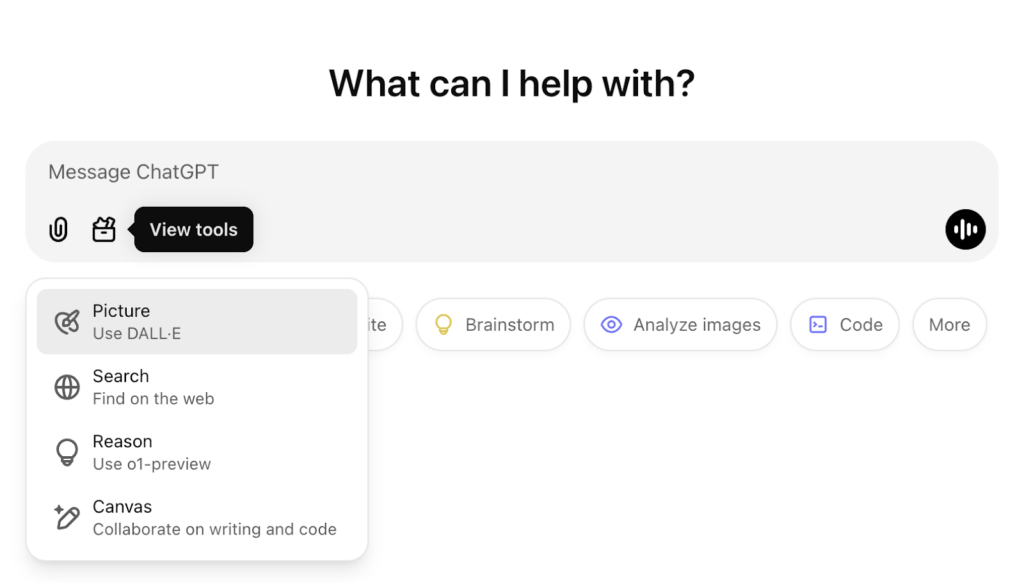
Instead of just chatting back and forth, Canvas mode opens your document side-by-side with the chat. You can highlight a specific paragraph and ask the AI to rewrite just that section.
- Practical use: Adjusting the length or reading level of a specific section without regenerating the entire draft.
- Where it struggles: Sometimes the formatting gets weird when you export it to Google Docs.
- Editing needed: Moderate. You still need to read the rewritten paragraph to ensure it flows with the rest of the text.
2. Deep Research
This feature allows the AI to browse the web extensively before answering. It acts like a super-powered Google search.
- Practical use: Compiling statistics, finding recent news, or gathering sources for a pillar blog post.
- Where it struggles: It can take a couple of minutes to finish researching. Sometimes it relies on lower-quality aggregator sites instead of primary sources.
- Editing needed: High for fact-checking. Always click the source links to verify the numbers.
3. Custom GPTs
You can build your own mini-versions of ChatGPT trained on your specific files.
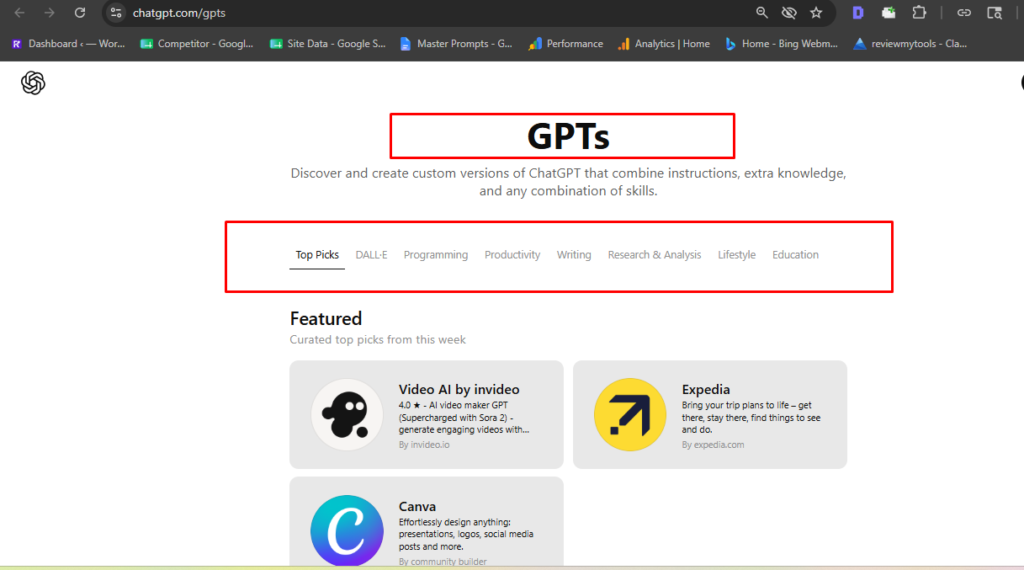
- Practical use: I uploaded my brand style guide and past articles. Now I use this specific Custom GPT whenever I need an article draft that sounds like me.
- Where it struggles: It occasionally forgets the custom instructions if the chat gets too long.
- Editing needed: Low to moderate. It gets the tone right much faster than the default model.
Real Testing Experience
To give this a proper test, I used my standard AI writing workflow to create a 1,200-word SEO blog post about “how to optimize images for WordPress.”
I started by asking for an outline. The first output was too generic. It included things like “Conclusion” and “Introduction” as main headers. I had to refine my prompt: “Act as an expert technical SEO.” Give me an outline for image optimization, focusing on Next-Gen formats, lazy loading, and compression tools. Do not use generic headers.”
The second outline was excellent.
Next, I generated the draft section by section. This is where the human editing process becomes mandatory. The AI loves to use transitional fluff. Almost every section started with “First and foremost” or “In addition to.” I spent about 25 minutes cutting out these repetitive phrases and replacing them with natural transitions.
The speed is incredible. The words appear instantly. But the factual accuracy is a mixed bag. It recommended a WordPress plugin that hasn’t been updated in three years. I had to catch that manually and replace it with a modern alternative.
The biggest frustration? The AI constantly tries to summarize everything at the end of every single section. I had to tell it three times to stop adding mini-conclusions before we even reached the end of the post.
Real Output Quality Breakdown
| Category | Score /10 | Notes |
| Blog writing | 7/10 | Great for structure, requires heavy editing for tone. |
| SEO optimization | 6/10 | Understands intent but lacks built-in keyword density tools. |
| Ad copy | 8/10 | Excellent at generating multiple hooks and variations quickly. |
| Readability | 7/10 | Tends to write at a college level unless instructed otherwise. |
| Human-like writing | 5/10 | Very predictable sentence structures. Often sounds sterile. |
| Beginner usability | 9/10 | Type a question, get an answer. Very low barrier to entry. |
| Speed | 10/10 | Generates massive amounts of text in seconds. |
| Accuracy | 7/10 | Generally correct but prone to outdated software recommendations. |
| Editing required | 4/10 | You will spend significant time polishing the raw output. |
Pros and Cons
Pros:
- Incredibly versatile across writing, coding, and data tasks.
- Canvas mode makes editing specific paragraphs much easier.
- Memory feature successfully retains your stylistic preferences over time.
- Deep Research saves hours of manual Googling for statistics.
- The $20 price tag is highly affordable for the value provided.
Cons:
- Default tone is recognizable as AI and lacks personality.
- Prone to minor factual errors and “hallucinations.”
- No native SEO keyword scoring or SERP analysis tools.
- Free tier limits are too strict for serious work sessions.
- Often fails to generate a full, long-form article in a single prompt.
Pricing Review
ChatGPT has a few tiers, but most people only look at two: Free and Plus.
The Free plan is essentially a trial. You get access to the models, but you have very strict message limits. After a handful of prompts, the system downgrades you to a mini model. You also lose access to advanced features like Deep Research. If you are doing real work, the free plan is simply too frustrating.
The Plus plan costs $20 per month. This is the sweet spot. You get priority access during peak hours, higher message limits, and access to all the advanced tools like Canvas, Custom GPTs, and Deep Research. For a freelancer or marketer, saving just one hour a month pays for the subscription.
Is it fair? Absolutely. But if your main goal is purely SEO content creation, alternatives with built-in keyword tools might offer better specialized value. You can check the official pricing page to see the exact current limits.
Alternatives
How does ChatGPT compare to dedicated AI writers? Here is a quick breakdown.
| Competitor | Best For | Pricing | Strengths | Weaknesses |
| ChatGPT Plus | General versatility | $20/mo | Great UI, custom GPTs, excellent reasoning. | Highly robotic default tone, no SEO tools. |
| Claude (Anthropic) | Human-like writing | $20/mo | The most natural sounding AI writer on the market. | Lacks native image generation and deep internet research. |
| Jasper | Enterprise marketing | $39+/mo | Built-in brand voice tools, marketing templates. | Expensive, steep learning curve for beginners. |
| Copy.ai | Social media & ads | $36+/mo | Great for short-form copy and brainstorming hooks. | Struggles with long-form, deeply technical blog posts. |
| Frase | SEO optimization | $15+/mo | Excellent built-in SERP analysis and keyword scoring. | The AI writer itself is not as smart as ChatGPT. |
FAQs
Yes. The time saved on research, outlining, and drafting makes the $20 monthly cost easily justifiable. Just remember you still need to edit the content heavily to match your brand voice.
Google’s algorithms focus on the quality of the content, not just how it was created. If you publish unedited, generic AI text, it may struggle to rank. If you heavily edit and optimize the output, it can rank perfectly well.
The free version has strict message limits and cuts off access to advanced tools. The Plus version gives you priority server access, much higher usage limits, and features like Canvas, Custom GPTs, and Deep Research.
Generally, yes. It generates text based on learned patterns rather than copying and pasting from websites. However, it is always a good idea to run the output through a plagiarism checker just to be safe.
ChatGPT is better for general tasks, coding, and basic drafting at a lower price point. Jasper is better if you need built-in marketing templates, team collaboration, and strict brand voice controls, though it costs more.
Yes, but it is a manual process. You can ask it to generate related keywords or structure an article for readability. But unlike tools like Frase or Surfer SEO, it does not have native keyword scoring or live SERP analysis.
On the free and Plus plans, OpenAI may use your chats to train future models. If privacy is a major concern, you can turn off chat history in your settings to prevent your data from being used for training.